The process for submitting comments to the Surface Transportation Board is not complex, but can be intimidating. Using the example of the proposed Union Pacific-Norfolk southern merger, the following is how to submit comments.
There are two types of numbers. Any document submitted to STB is assigned a Filing Number. Any action being considered by STB is assigned a Docket Number.
Following are instructions for Finding Documents (immediately below) related to a docket and for Submitting Comments (below the Finding Documents section).
To Find the documents that have been filed
Start at https://www.stb.gov/proceedings-actions/filings/
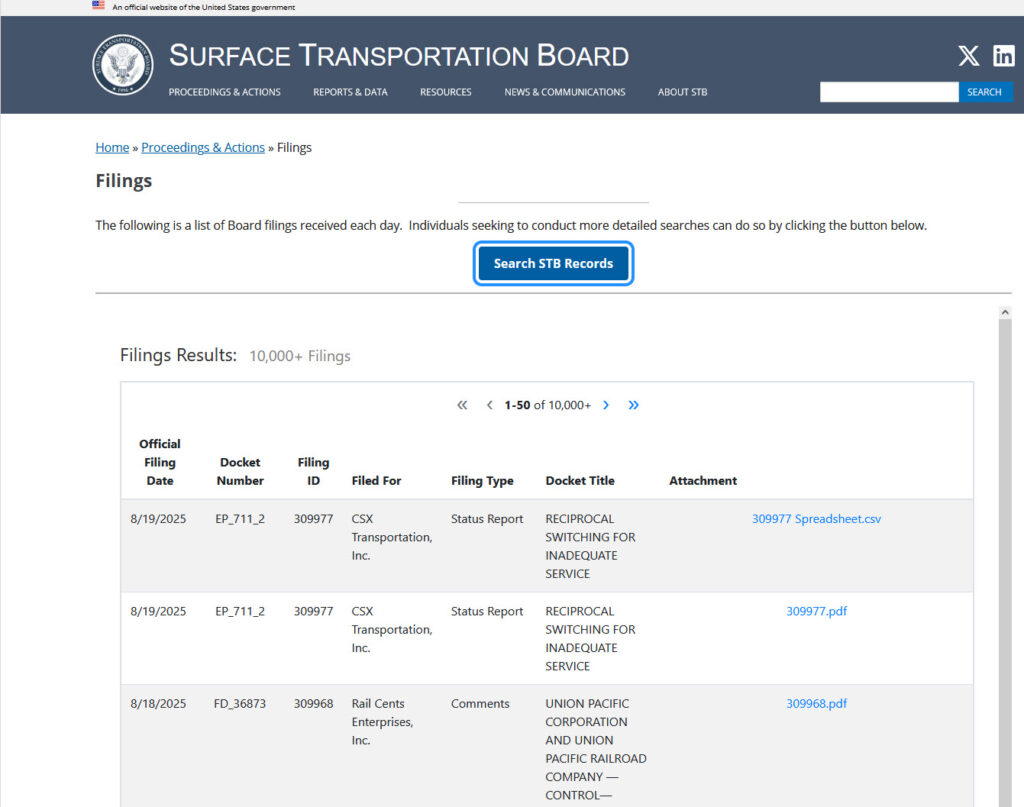
At the time the screen shot was made, the third item is filing 309968 related to the UP-NS merger. The docket scrolling through the filings or searching may be necessary.
Click the Search STB Records button.
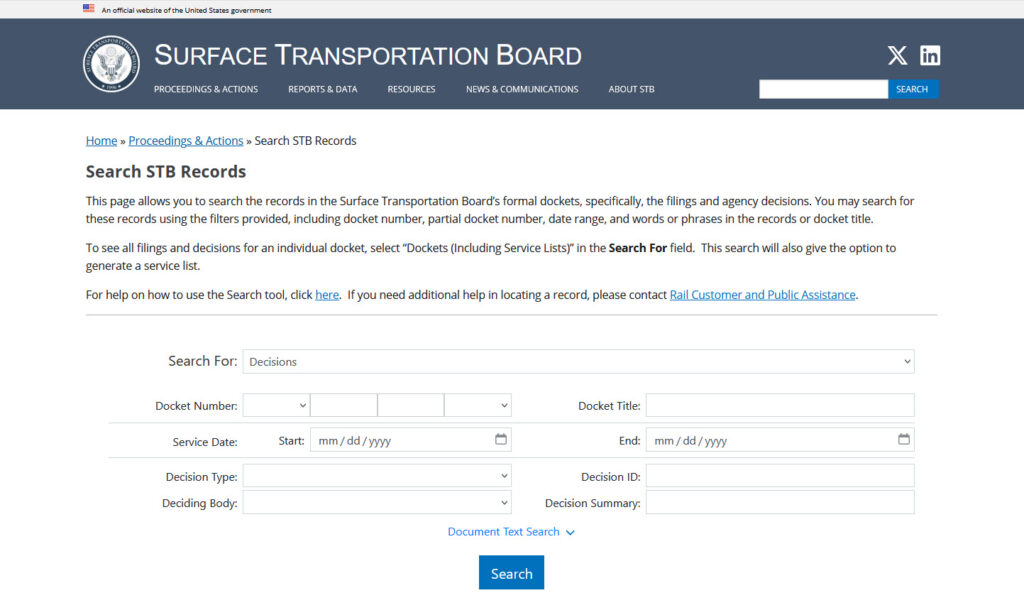
Set the first dropdown (says Decisions) to Filings.
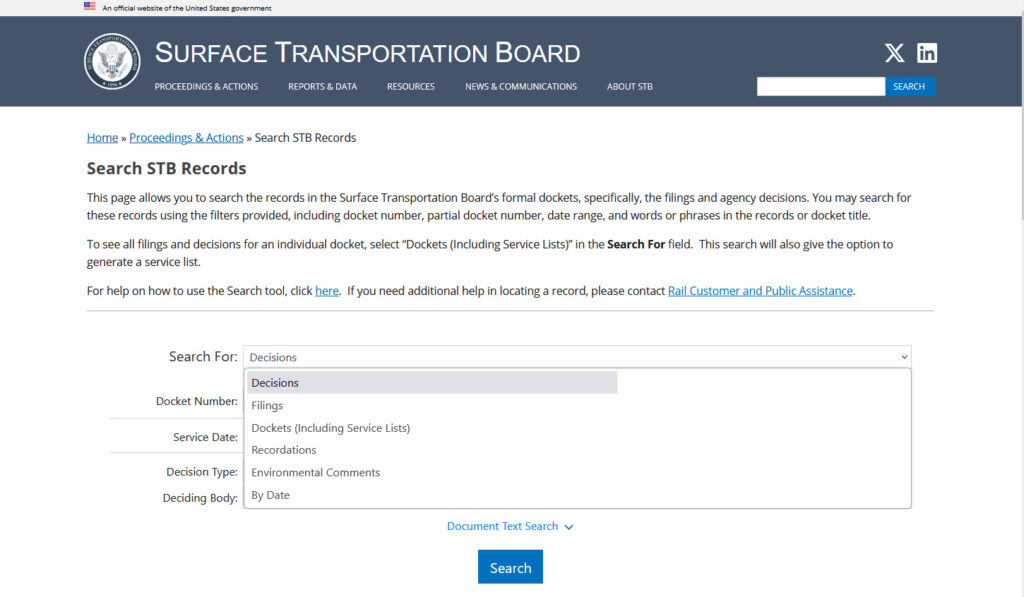
Set the Docket number dropdown to FD then in the next field enter 36873.
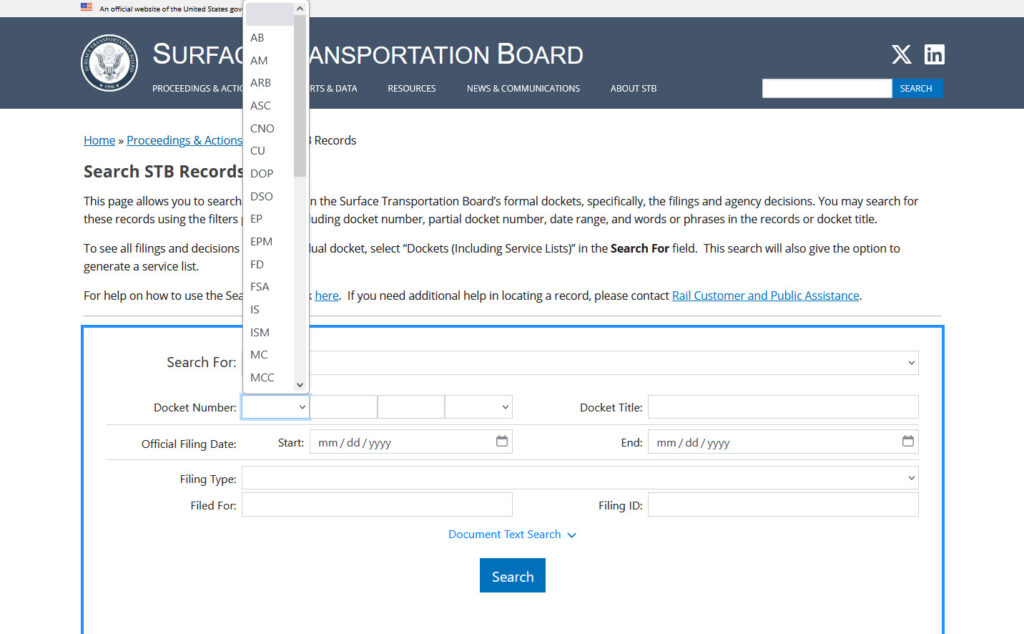
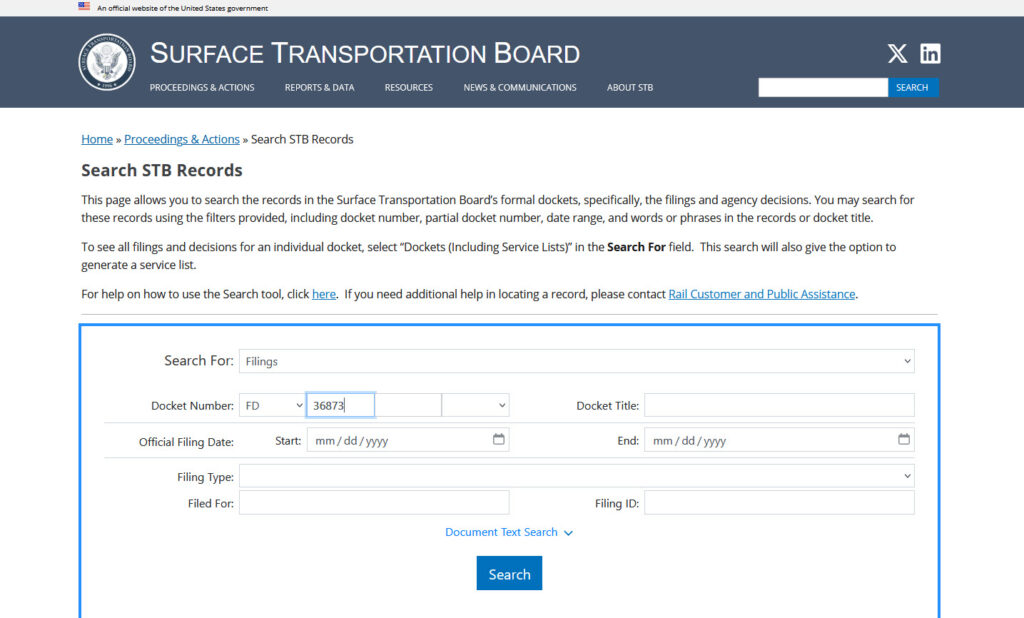
Click search at the bottom.
This will show all filings received on this docket.
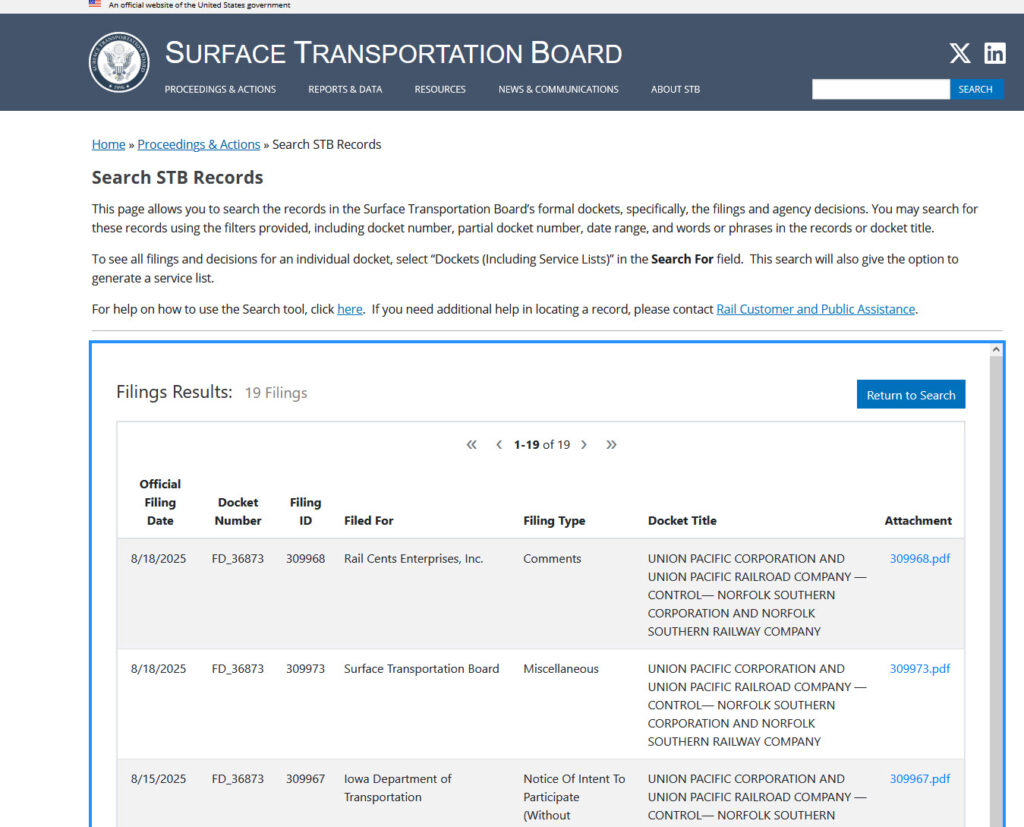
To submit a comment
Go here to file https://www.stb.gov/proceedings-actions/e-filing/
On the right side of the screen, click Other Filings.
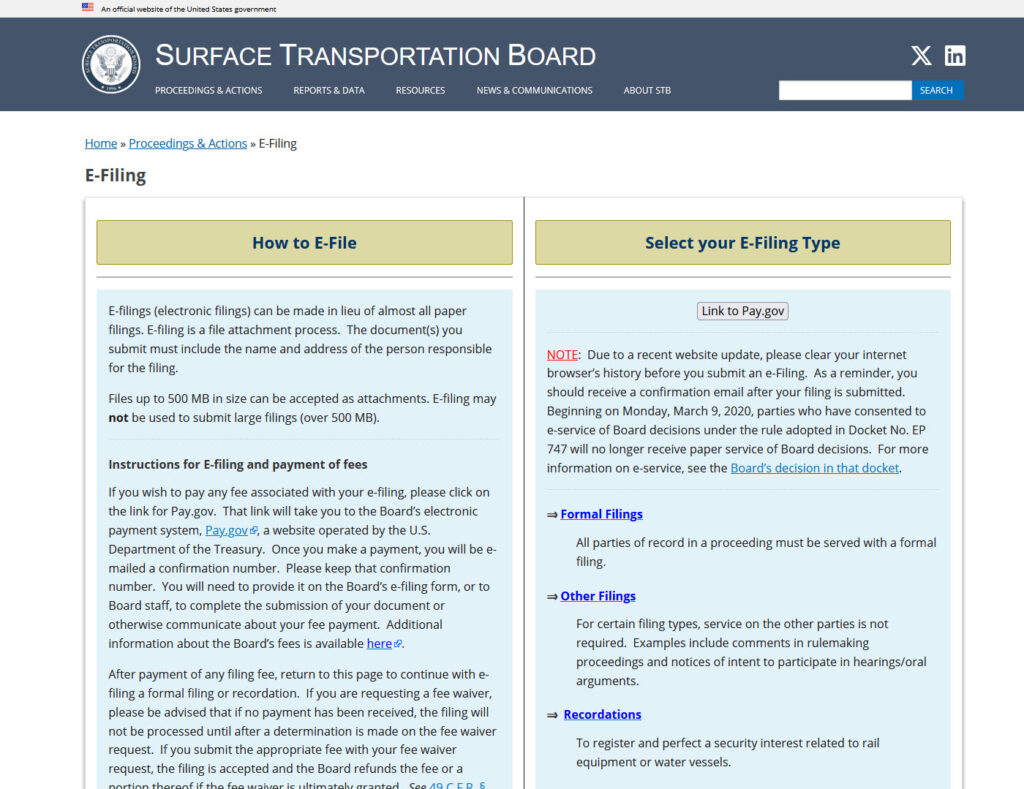
On the Other Filings page set the first Docket Number field to FD. 36873. Set filing type to letter.
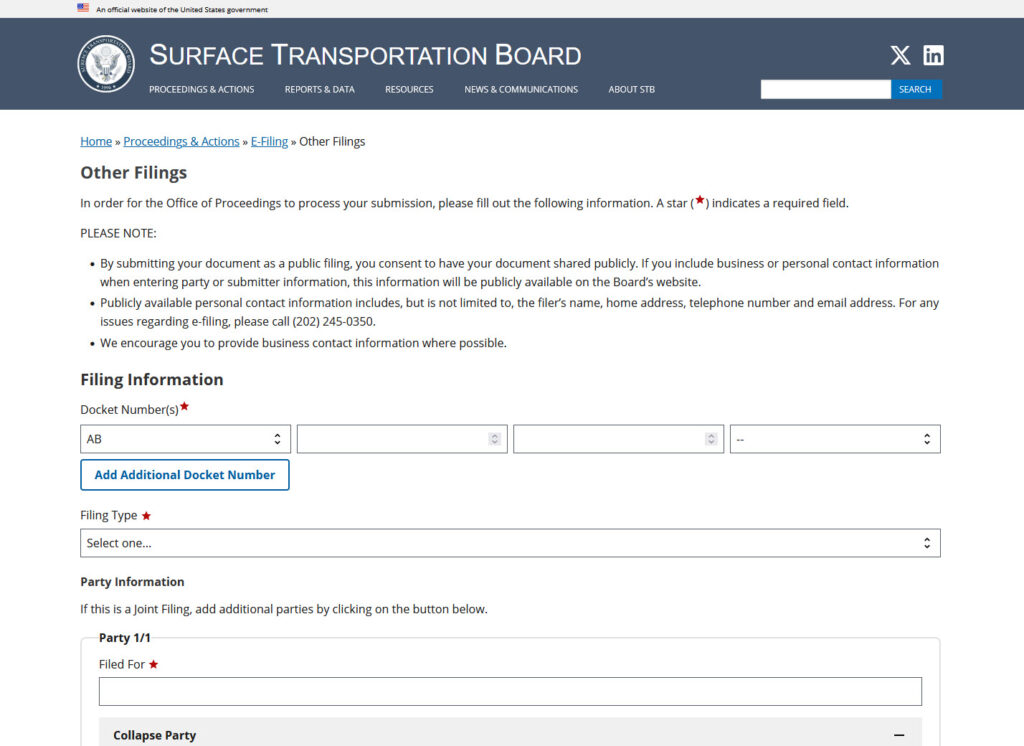
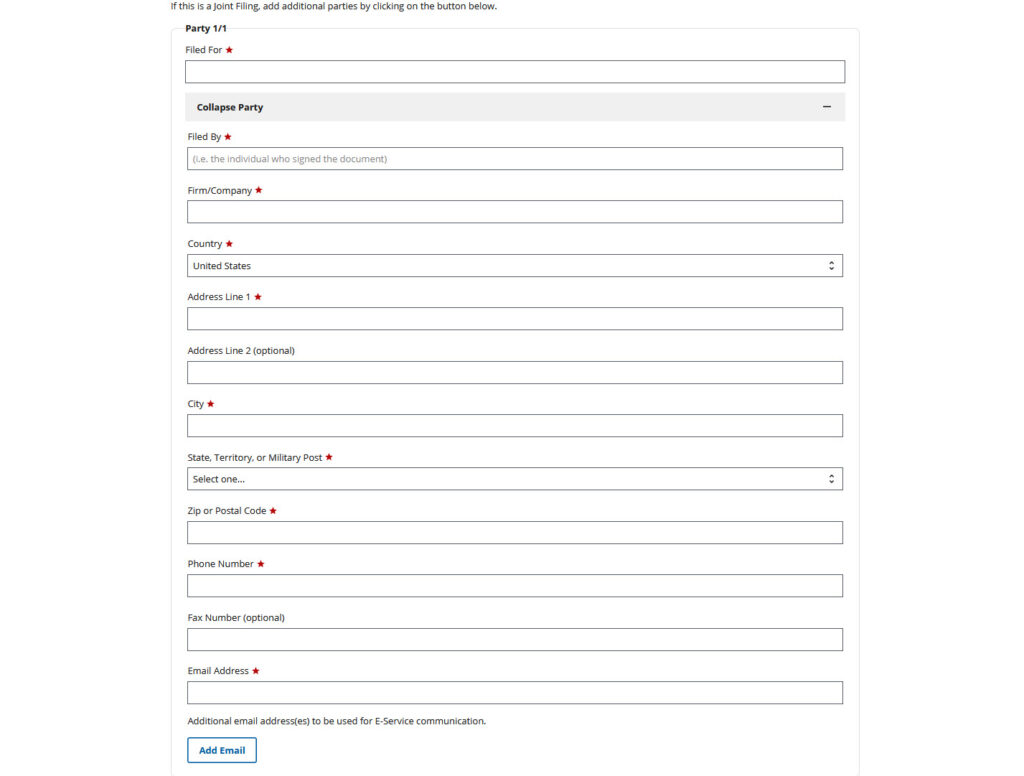
Fill in the sending party information. Fill in the name of the individual who signed the document. Firm/Company must be entered. Write ‘self’ if not representing an organization. The email address will be the address to which correspondence will be sent. If desired, to have correspondence sent to additional addresses, click add email and add addresses.
Create your comment letter separately to attach in the next section of the screen.
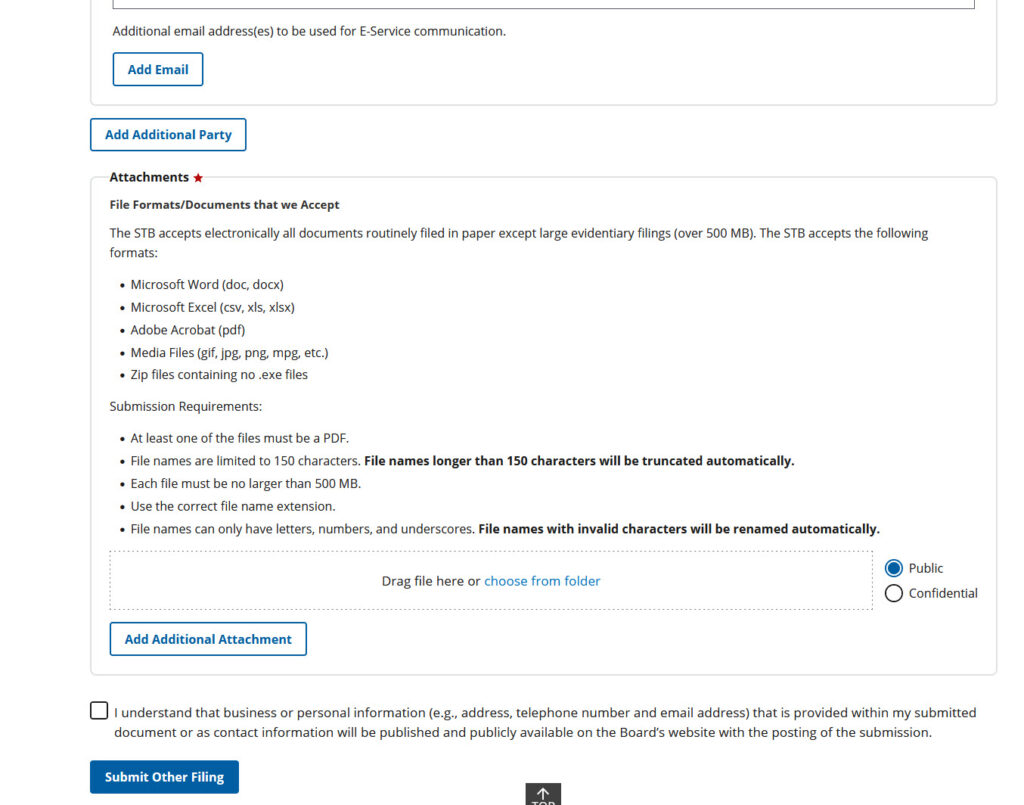
The submittal must be a *.doc, *.docx, or *.pdf. PDF is always preferred when making a publicly-available document to avoid changes made by others after you have released the document.
The letter may be created in an online application such as GoogleDoc, but must be download to your computer as a .pdf format file that can be attached to the